How to Accept Payment in Crypto for Your Online Business

Cryptocurrency payments have become a mandatory option for online businesses, especially for those who operate internationally. However, if you aren’t accepting crypto for your business, this article can be helpful to you. Here, we explain how to accept crypto payments with Coinremitter’s solutions.
Coinremitter’s Crypto Payment Solutions
Coinremitter offers various crypto payment solutions. All the solutions suit different business requirements and technical skill levels. You can choose one of these solutions primarily based on your business requirements and secondarily based on your technical skill level. Below, we have briefly explained how to use them to accept crypto payments.
Invoice
You can use our crypto payment gateway’s Invoice services to request crypto payments from your customers or clients. You can generate an invoice based on your payment amount, preferred currency, and expiry date, and share it to accept payment in crypto.
Key Features
- Invoice Status: The invoice will have a validity. It will show either ‘Active’ or ‘Expired’ based on the live status.
- Payment Details: You can display the amount, deposit wallet address, and supported cryptocurrency.
- QR Code: The invoice includes a QR code. Customers can scan it to pay.
- Payment Status: The invoice shows Pending, Paid, Underpaid, or Overpaid status. This only works for active invoices.
How to Accept Crypto Payments Using Coinremitter Invoice
- Sign up/sign in
- Create a new wallet. Read more.
- Go to the ‘Invoices’ tab.
- Click ‘New’ to generate an invoice.
- Select a wallet and set an amount.
- You can also set the notify URL and invoice expiry.
After creating an invoice, you can get its URL and share it to request payments in crypto.
Open-Source Plugins
You can use crypto payment plugins to accept crypto payments on your website if your website is built on any of these platforms:
- WordPress
- OpenCart
- PrestaShop
- Magento
- PHP
- Node.js
- Laravel
These are ready-to-install files and do not require any technical skills. Check installation steps here
How to Accept Crypto Payments Using Plugins
- Find a compatible plugin and install it on your website, following the installation guide.
- Connect one or more wallets (one per cryptocurrency) using credentials.
- Perform a test payment using the Test Coin (TCN) to ensure successful installation.
Crypto API
Crypto API is a great solution for accepting cryptocurrency payments if you want more flexibility and are okay with a few technical requirements. There are separate API docs for every cryptocurrency. For example, to accept Bitcoin payments, there is the Bitcoin API.
Crypto API Features for Accepting Payments
- Create New Address: Here, you can create an address for an existing Coinremitter wallet.
- Get Transaction by Address: Here, you can enter the same address to get the latest transaction details.
[Note: You can also use the Create Invoice and Get Invoice APIs if you want to request crypto payments via invoices.]
Crypto Payment Widgets
1. Pricing Widget
The Pricing Widget is a user-friendly solution to accept crypto payments for tiered pricing plans on your website. It lets you create a widget with one or more stacks. You can include plan details and pricing, and integrate crypto payments into it.
How to Accept Payment in Crypto Using the Pricing Widget
- Sign up/sign in and go to ‘Widgets’.
- Click ‘New’ and select ‘Pricing Widget’ from available options.
- Configure the widget’s appearance, set pricing (from CTA), and add plan details, including deliverables.
- Go to the ‘Settings’ tab and select a crypto wallet to connect it with a widget to receive funds. Multiple wallets in a single widget are allowed, but only one wallet per cryptocurrency.
- Click ‘Publish’, and our crypto payment processor will provide you with the widget’s JavaScript code. Add it to your website’s source code, and the widget will be live with the crypto payment functionality.
2. Presale Widget
The Presale Widget is a perfect solution if you want to accept payment in crypto for your project’s ICO. Here, you can create a widget for your token presale that includes your token details, pricing, duration, and, of course, crypto payment functionality.
How to Accept Payment in Crypto Using the Pricing Widget
- Sign up/sign in and go to ‘Widgets’.
- Click ‘New’ and select ‘Presale Widget’ from available options.
- Set up your token’s identity, including name, icon, symbol, and pricing (in fiat).
- Set up to four distribution rounds with different pricing strategies (hike) and bonus offerings.
- Configure the widget’s appearance with a live preview.
- Set up custom input fields so token buyers can enter their basic information.
- Click ‘Publish’, and our cryptocurrency payment gateway will generate the widget’s JavaScript code. Add it to your website’s source code, and the widget will be live with the crypto payment functionality.
3. Payment Button
The Payment Button Widget is a minimal and versatile crypto payment solution for businesses. Using this feature, you can create a ‘Pay Now’ button. Then you can publish it on your website to accept payment in crypto. Customers can click the same to pay with crypto.
How to Accept Payment in Crypto Using the Pricing Widget
- Sign up/sign in and go to ‘Widgets’.
- Click ‘New’ and select ‘Payment Button Widget’ from available options.
- Set up the button’s appearance and pricing in your preferred fiat currency.
- In the ‘Settings’ tab, set up cryptocurrency payments by linking one or more wallets.
- Click ‘Publish’ and get the button’s JavaScript code. Add it to your website’s source code.
- The button will be live on your website with the crypto payment functionality.
4. Payment Page
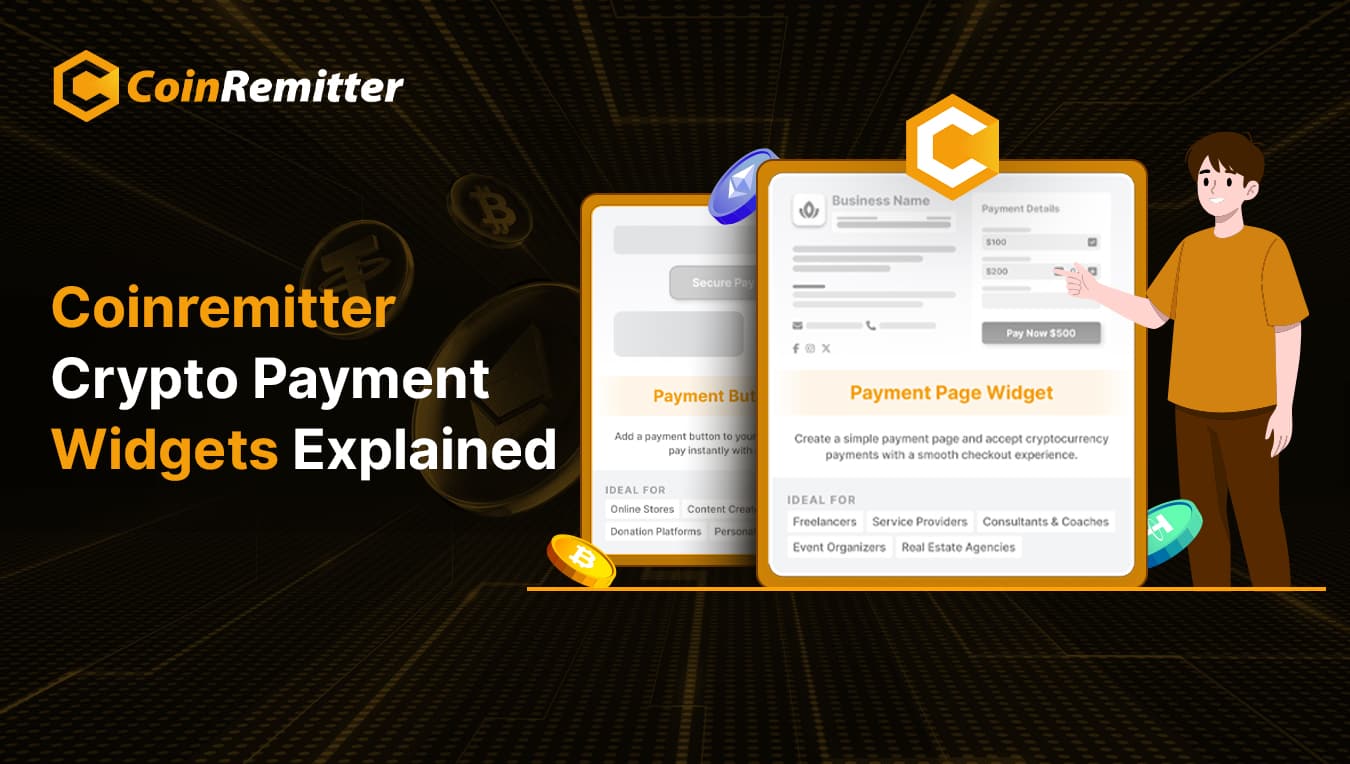
The Payment Page Widget is also a versatile crypto payment solution for businesses. You can use this feature to create a complete web page and accept payment in crypto. You can redirect your customers or donors to this page so they can pay with crypto.
How to Accept Payment in Crypto Using the Pricing Widget
- Sign up/sign in and go to ‘Widgets’.
- Click ‘New’ and select ‘Payment Page Widget’ from available options.
- Configure the page’s appearance according to your brand identity. Then add required content, including the icon, description, and T&Cs.
- Set price fields according to your business requirements:
- Fixed Amount (best for retailers and service providers)
- Customer Decide Amount (best for donations)
- Item with Quantity (best for wholesalers or distributors)
- Set up custom input fields so customers or donors can enter their basic information.
- You can also add a goal tracker, contact option, and social media share icons.
- Get the URL and share it to request crypto payments.
Why Accept Payment in Crypto
- Lower Fees: Compared to traditional payments, crypto transaction fees are lower due to fewer intermediaries and cross-border formality.
- Faster Transactions and Settlements: Where traditional payments can take a few days or weeks, cryptocurrency payments take only a few minutes. Similarly, settlements are fast as well. Our cryptocurrency payment gateway’s Auto Withdrawal feature automatically settles funds in 30 minutes.
- Higher Privacy and Security: Cryptographic technology protects crypto transactions from tampering. Also, no personal information is visible in any transaction records, which makes the payment process private. Coinremitter is a no-KYC crypto payment processor that adds more privacy to this payment method.
- Easy Global Reach: Crypto payments are decentralized. So, they are free of centralized authorities and currency conversion fees. So, cryptocurrency payments can be more reliable compared to traditional payments for international businesses.
Conclusion
Accepting cryptocurrency payments was once considered complex. Only a limited number of business owners could accept payment in crypto. But now, everything has changed. You can define your purpose, choose a suitable Coinremitter solution, and start accepting cryptocurrency payments for your business.
Recent News



Over 38,000 merchants are using CoinRemitter
Join them now